Windows 7 and Vista: Windows Live mail setup
If you require help with Windows Live Mail at any time, please call Andy on 01325 489 300.
If your screen does not match those below, please go back and view the correct instructions for your software.
Step 1
Start by loading Windows Live Mail. This can be found by pressing start clicking on the All Programmes button and finding the Windows Live Folder. Click into it and then start Windows Live Mail!
Step 2
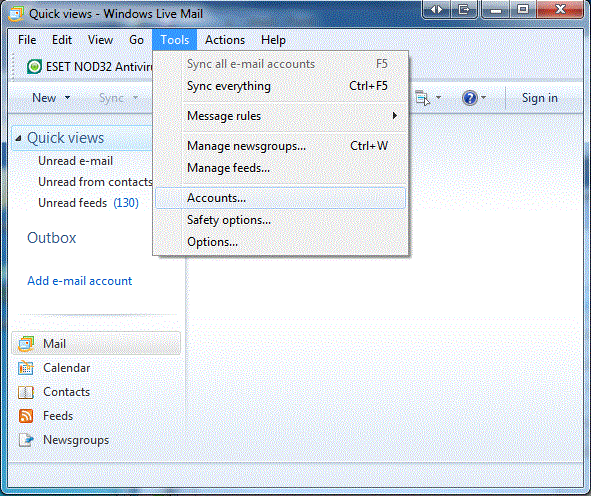
Click on the tools menu and then accounts. As depicted here.
Step 3
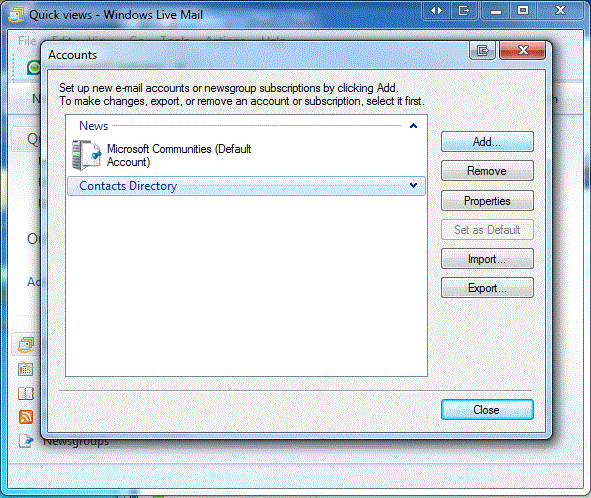
On the new window that appears click the Add button over on the right, seen here.
Step 4
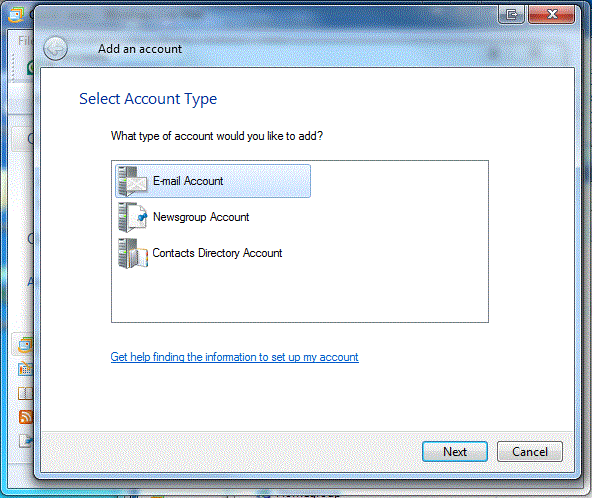
Click the top option of "E-mail Account"
Step 5
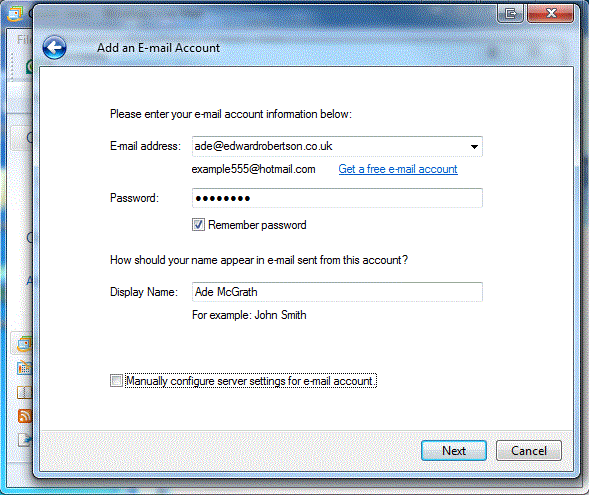
Input your own details of the email address you will be using to send your mail and remember to have the remember password details checkbox checked. These details can be found on the document received from Edward Robertson.
Step 6
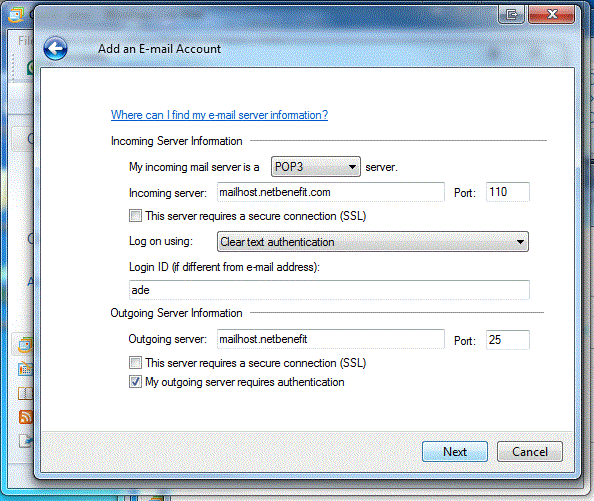
Click the next button to go to the next screen. Input your details into this screen for the servers outgoing and incoming address details. These details will be provided for you and will be detailed in your Edward Robertson Mail. Remember that the checkbox marked "My outgoing server requires authentication" must be checked!
Step 7
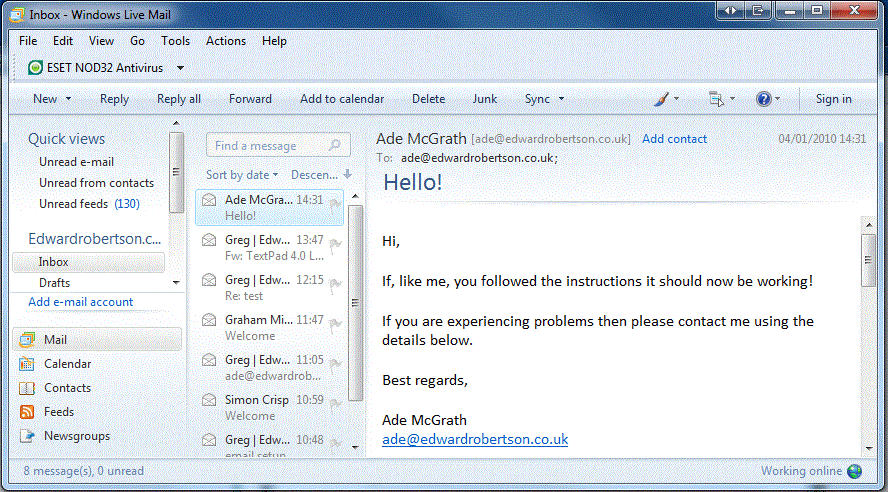
Press the sync button on the top menu bar and enjoy using your configured mail browser.
Andy Davis | andy@edwardrobertson.co.uk | 01325 489 300